Running LLM-generated code in sandboxes
In this module you will interact with the demo environment, chat with the AI model, generate code, and execute it inside sandboxes. You will also observe how the warm pool works in real time.
Explore the deployed resources
Install the demo application by following the instructions in the llm-agent-sandbox-demo. Make sure you have connected it to an LLM as described in the LLM section. Let’s look at what’s running.
Switch to the llm-sandbox-demo namespace in the OpenShift console and look at the workloads. You should see the agent-backend pod, the proxy deployment that connects the Chat UI to the AI model and manages sandbox execution.
Now switch to the runc-warmpool namespace. You should see a couple pods called code-sandbox-pool-<random-chars>. These are the pre-warmed sandbox pods: they are the ready-to-use sandbox pods maintained by the SandboxWarmPool. The pool keeps 2 replicas ready at all times.
You can verify the warm pool status from the terminal:
oc get sandboxwarmpool -n runc-warmpoolYou should see output similar to:
NAME                READY   AGE
code-sandbox-pool 2 1hTry a simple query
Let’s start with a basic question that does not involve code. Type the following in the chat:
Hi, how are you?The AI model responds directly. Notice that this is a simple query flow: the message goes to the agent-backend, which forwards it to the AI model, and the response streams back. No sandbox is involved in this interaction, as it’s a regular chat.
Generate and run code
Now let’s ask the model to write some code. Type:
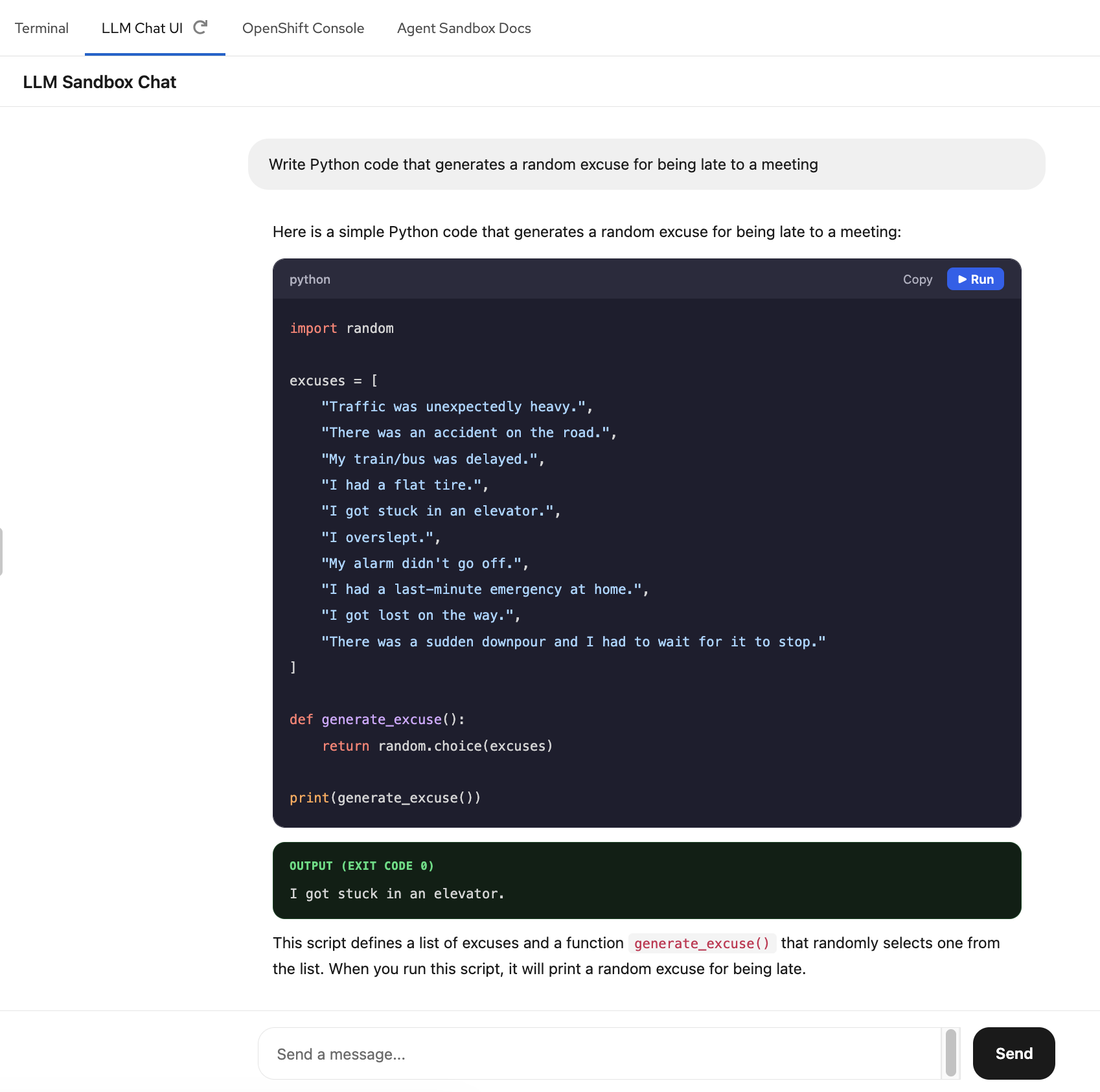
Write Python code that generates a random excuse for being late to a meetingThe model will generate a Python code block using random to pick from a list of excuses. Notice the Run button that appears next to the code block — this is the sandbox execution feature.
Click Run to execute the code. Once it completes, you will se the output.
The agent-backend will:
-
Create a
SandboxClaim -
Acquire a pre-warmed sandbox from the
SandboxWarmPool -
Send the code to the sandbox pod
-
Return the output to the chat
-
Terminate the sandbox
Watch the warm pool in action
Let’s now watch how the warmpool actually works: we will trigger sandbox execution directly from the terminal and then check the pod state to see the refill in action.
First, switch to the Terminal and check the current state of the warm pool pods:
oc get pods -n runc-warmpoolYou should see 2 pods in Running state — these are the pre-warmed sandboxes ready to go.
Now trigger a code execution by calling the agent-backend’s sandbox execute endpoint directly. This is exactly what the Chat UI’s Run button does under the hood:
CHAT_ROUTE=$(oc get route chat-ui -n web-ui -o jsonpath='{.spec.host}')
curl -s https://${CHAT_ROUTE}/v1/sandbox/execute \
  -H 'Content-Type: application/json' \
  -d '{"language": "python", "code": "print(\"Hello from a sandbox!\")"}' | python3 -m json.tool
The output confirms the code ran successfully inside a sandbox. Now immediately check the pods again:
oc get pods -n runc-warmpoolYou will see that one of the original pods is gone (it was consumed by the execution) and a new one is already being provisioned or is already Running. The warm pool refills itself automatically after each claim.
Each execution gets a fresh sandbox, no state carries over between runs. And each time a sandbox is claimed, the pool immediately refills, ensuring the next execution is just as fast.
|
You can also trigger executions from the LLM Chat UI and observe refill via the Openshift Console. The same warm pool refill behavior happens regardless of how the execution is triggered. |
What’s next?
So far the sandboxes are running with a standard runc runtime. The code is isolated in its own pod, but that pod shares the host kernel with every other pod on the same worker node. In the next module, we will demonstrate why this level of isolation is not enough by performing a prompt injection attack.